USpin review · UK · 2026
USpin on mobile: browser access for Android and iOS
 Author: Christian Rees
The USpin casino app experience starts in your mobile browser. Open USpin on Android or iOS, go straight to the casino lobby, and pin the page to your home screen if you like. Nothing to sideload, nothing to fetch from an app store.
Is there a USpin casino app?
Not in the sense most people mean. USpin is used by opening the site in a browser on your phone. The login and registration options are the natural starting point, so finding your way in is quick. That is true on both Android and iOS.
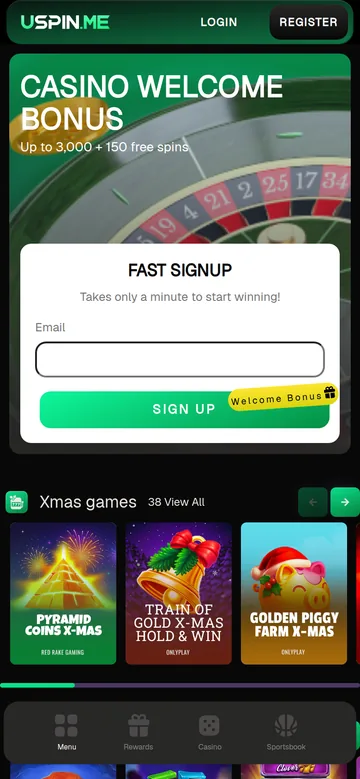
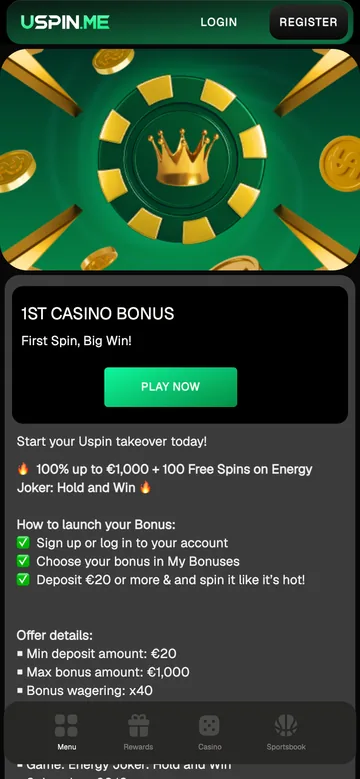
A quick word on APKs, since they come up constantly: an APK is an Android installation file, and iOS does not use the format at all. So the USpin casino app download question has a plain answer here. You visit the website and, if you want speed, save a shortcut. That shortcut is just a link back to the site. It is not an APK.
In short
New here? Choose the registration option and follow the prompts. Already have an account? Use the login option instead. The USpin login and sign-up guide walks through the account steps in more detail.
Using USpin on mobile: browser and home-screen access
On a phone, a mobile page is generally used with taps and scrolls. Navigation menus usually sit within thumb reach, which means your thumb does most of the job. Scrolling, tapping and typing details are the standard touchscreen actions.
Once your account is open, you can sign in from the same browser at any time. To add funds, open the deposit section and follow what appears on screen. For more on how money moves in and out, see the deposit and withdrawal guide.
If you get stuck, look on the website for its customer support options. A bookmark makes those options quicker to reach when you need them.
A home-screen shortcut saves you searching for the site every time. Tap the icon, land on the saved page, then head to the lobby or your account. Prefer a tidy home screen? A plain browser bookmark does the same job.
You may see the term PWA, short for progressive web app, which describes a website built to behave a little like an app. Adding a shortcut does not prove a site is one. Treat the icon as a quick route to USpin, not as a promise of a separate app or offline play.
In short
For bonus details, see the USpin bonus page.
How to add USpin to your home screen on iOS and Android
Both methods below use tools already built into your phone: the Share menu on iOS, the browser menu on Android. For UK players, that is the whole process. No APK is involved.
Add USpin on iOS
- Open Safari and go to the USpin website.
- Tap the Share button in the toolbar.
- Scroll the sharing options and pick Add to Home Screen.
- Rename the shortcut if you wish, then tap Add.
The icon lands on your home screen. Tap it to reopen the saved USpin page, then sign in or browse. Changed your mind? Remove it exactly as you would any other icon.
Add USpin on Android
- Open Chrome and go to the USpin website.
- Tap the browser menu near the address bar.
- Choose Add to Home screen and follow the prompt.
- Drop the icon onto your home screen if your phone asks you to place it.
Menu wording varies between Android phones and browser versions, so yours may look slightly different. When the icon is in place, it spares you from typing the address again. A browser bookmark works just as well if that suits you better.
USpin on mobile vs desktop
The phone wins on convenience, the desktop on space. Both start in a web browser, so pick whichever suits the job in hand.
| What matters? | Mobile browser | Desktop browser |
|---|---|---|
| Navigation | Tap and scroll on a touchscreen | Use a mouse or trackpad and keyboard |
| Screen | Compact and easy to carry | More room to view a page |
| Returning to USpin | Use a home-screen shortcut or bookmark | Use a browser bookmark |
The layouts can differ in small ways. On mobile, menus are usually condensed and reached by tapping. On desktop, a wider window generally leaves more room for menus and rows of content. A bigger display also suits reading account information, and a physical keyboard beats thumb-typing a long form.
In short
You do not have to choose one. Keep a bookmark on your computer and an icon on your phone, and sign in with the same account details on whichever device is closest. For more background before you start, read the USpin casino review.
Welcome offer for new players
Open your USpin account in a couple of minutes and check the current offer.
Uspin casino app: FAQ
These answers cover shortcuts, account access and the gap between a saved link and a real app.
Do I need a USpin casino app download to use my phone?
No. Open USpin in a browser on your Android phone or iPhone, then use the site to reach the lobby, sign up or log in. A home-screen shortcut makes the next visit quicker, but it is entirely optional.
Can I install a USpin APK on an iPhone?
No. APK is an Android format, so it cannot install anything on an iPhone. Open USpin in Safari instead and add the site to your home screen through the Share menu. You get a quick way back without any APK.
How do I open USpin quickly on Android?
Go to USpin in Chrome and use the browser menu to add the page to your home screen. Follow the prompt to place the icon, then tap it whenever you want to return. Or just bookmark the page in Chrome and keep everything inside the browser.
Can I sign up and deposit from my phone?
Yes, via the mobile website. Look for the registration option on the site and complete the sign-up form it shows. Once signed in, head to the deposit section and follow the instructions. The USpin casino review is another good place for account information.
Is a home-screen shortcut the same as a casino app?
No. A shortcut simply reopens a saved website from your home screen. You have not downloaded an Android APK or installed a native iOS app. Depending on the site and device, it may open in a browser tab or an app-like window.